GetDataBack Simple 3.13
Recover entire disks and partitions regardless of disk type and file system
 Download
Program info


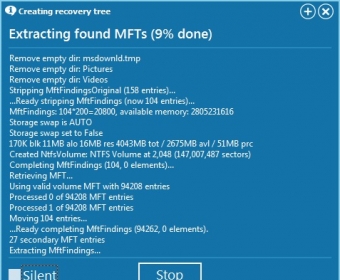
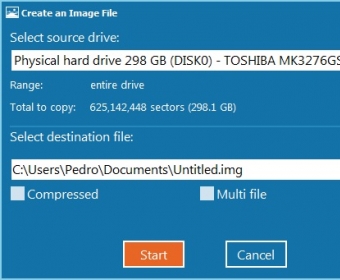
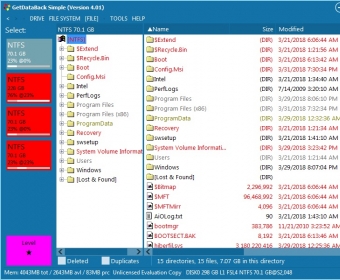
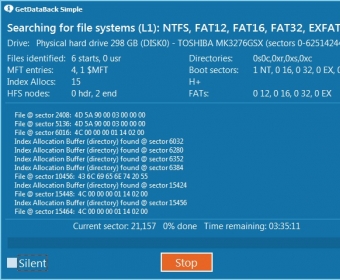


Rather than just another tool to recover specific files or directories that you deleted by mistake, GetDataBack Simple has been designed to help you bring back to life entire disks and partitions that you cannot access anymore due to a virus attack, a formatted or re-partitioned drive, a power failure or system crash, or simply because of a damaged or lost boot record, partition table, FAT/MFT or root directory. Compatible with hard drives, SSDs, Flash cards, and USB memory sticks, this tool can recover any drive with a NTFS, FAT, exFAT, or EXT file system.
Bringing together the classic GetDataBack for NTFS and GetDataBack for FAT that were sold separately – a marketing strategy that outraged more than one client –, GetDataBack Simple is compatible with Windows NTFS, FAT12, FAT16, FAT32, and exFAT drives, as well as with Linux EXT, EXT2, EXT3, and EXT4 drives. All kinds of storage devices, both internal and external, are also supported, from SSDs to USB pen drives.
The program’s interface doesn’t leave anybody indifferent. Its aggressive design, based on colorful squares over a pitch black background, is loved by as many as those who dislike it. In the end, it’s all a matter of taste, and like it or not, it offers a high level of navigability and a clarity that you don’t easily find in the software industry. Actually, clarity was also a very hard-to-find feature in previous incarnations of this very tool. However, when you’re trying to recover a disk you thought lost forever, clarity and ease of use is one of the things you appreciate most, and the program as it now seems to have made a very good note of this. GetDataBack Simple has simplified the entire recovery process without leaving IT professionals out. This tool still provides the interested user with highly technical information without delaying or affecting the recovery process in any way.
You are offered four scan levels or “data recovery sophistication” levels. The lowest level, Level 1, will simply mount the file system for you, while Level 4 performs a complete and deep drive scan that will detect and recover for you any data trace left. Needless to say, the lower the level, the faster the scan and the less accurate the results will be. The recovery rate itself appears to be very high, and the files listed can be filtered in various ways – all files, deleted files, and duplicate files only. Files can be previewed as images (when available) or as Hex files, among other options, and you can search for specific items using the search engine provided.
GetDataBack Simple offers you a professional tool to retrieve entire drives and partitions, regardless of the cause of the data loss, the type of drive, and the file system used. Note, however, that you will need to purchase a full license before being able to recover any of the data retrieved.
Pros
- Quick scan processes
- Scan processes offer four levels of depth
- File search engine
Cons
- Requires a license to recover data
- Aggressive interface design
Details
Extensions

No information available
The data will be available later.Awards


Related software

Recovers deleted files emptied from the Windows Recycle Bin.

GetDataBack will help you retrieve your files if the hard have been damaged.

Bring back deleted files from hard disks, memory cards, and USB drives.
Related stories
See all
The Grandfather-Father-Son backup strategy may feel cumbersome at the outset, but it does the job of keeping your data save. Let's see how it works, and what solution enable it.

Need to streamline your computer's booting? Consider Fast Startup, disabling unnecessary programs, optimizing BIOS, and utilizing max processors and memory.

Google added one more account recovery method to the two already known. Learn how to set up the Recovery contact.